How to plan your day with the top 3 priorities method
Why three is the right number, how to choose them in under five minutes, and what to do when the day goes sideways.
Daily planner for iPhone and Android
Journal turns the paper planner page into an app. Set your top 3 priorities, plan your hours, track meals, workouts and water, and end each day with gratitude.
Plan is free. Everything else: $4.99 a month or $49.99 a year. Cancel anytime.
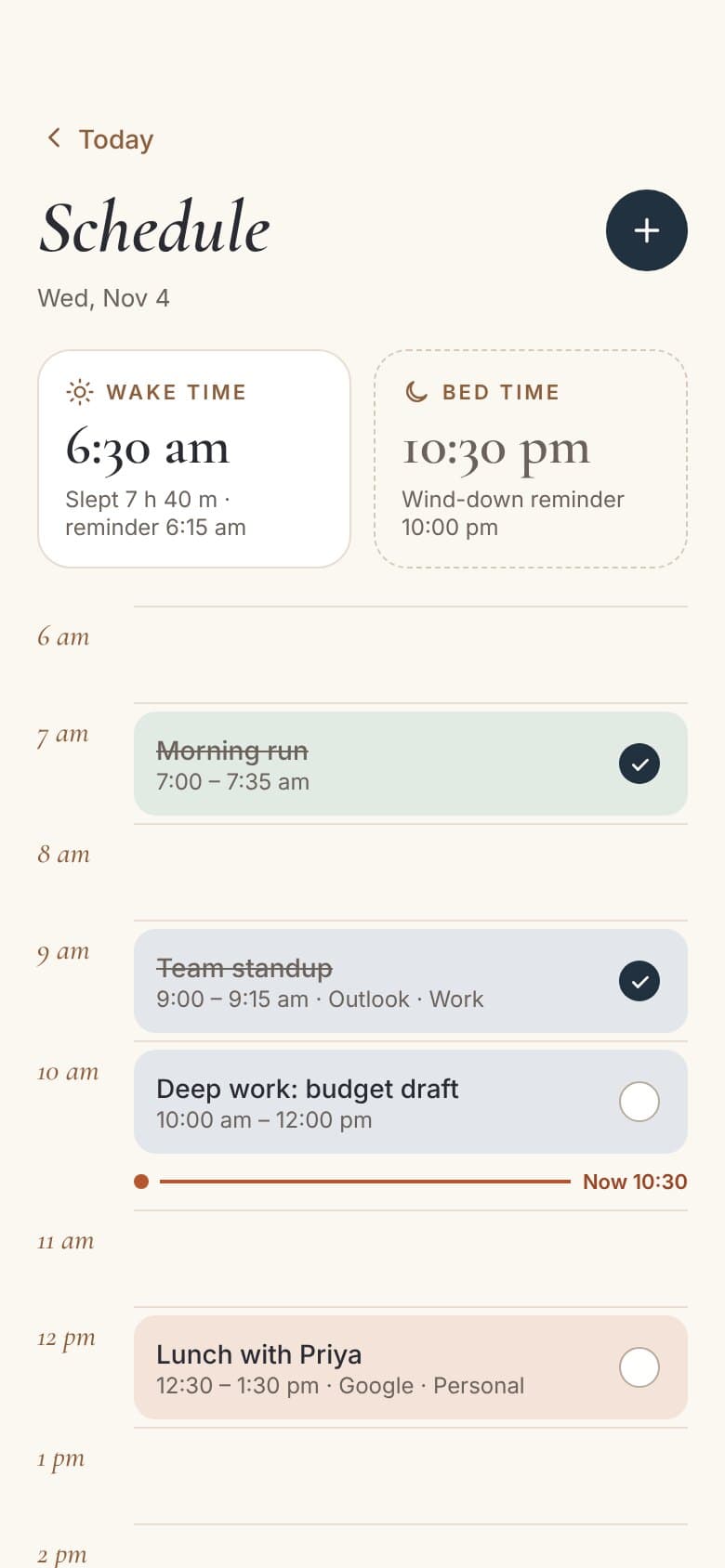
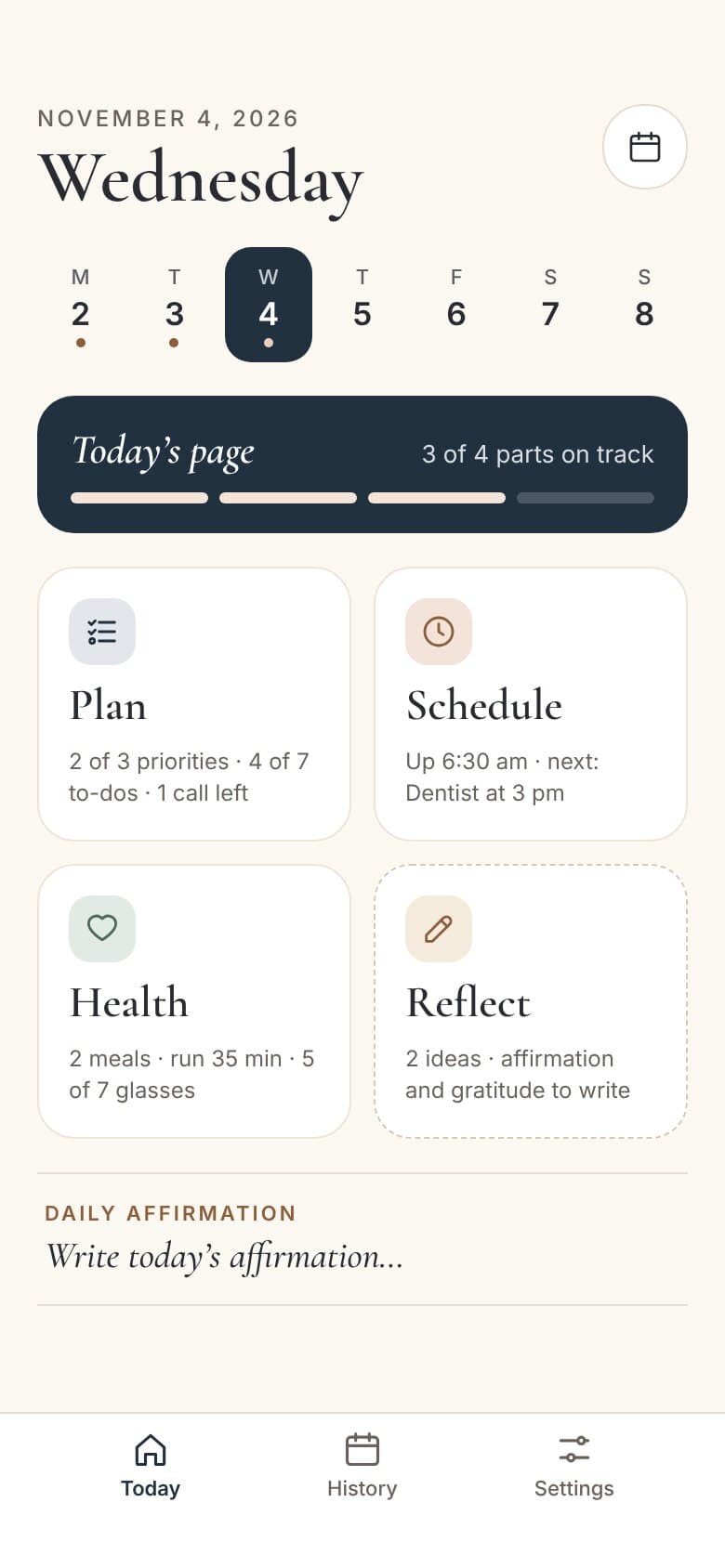
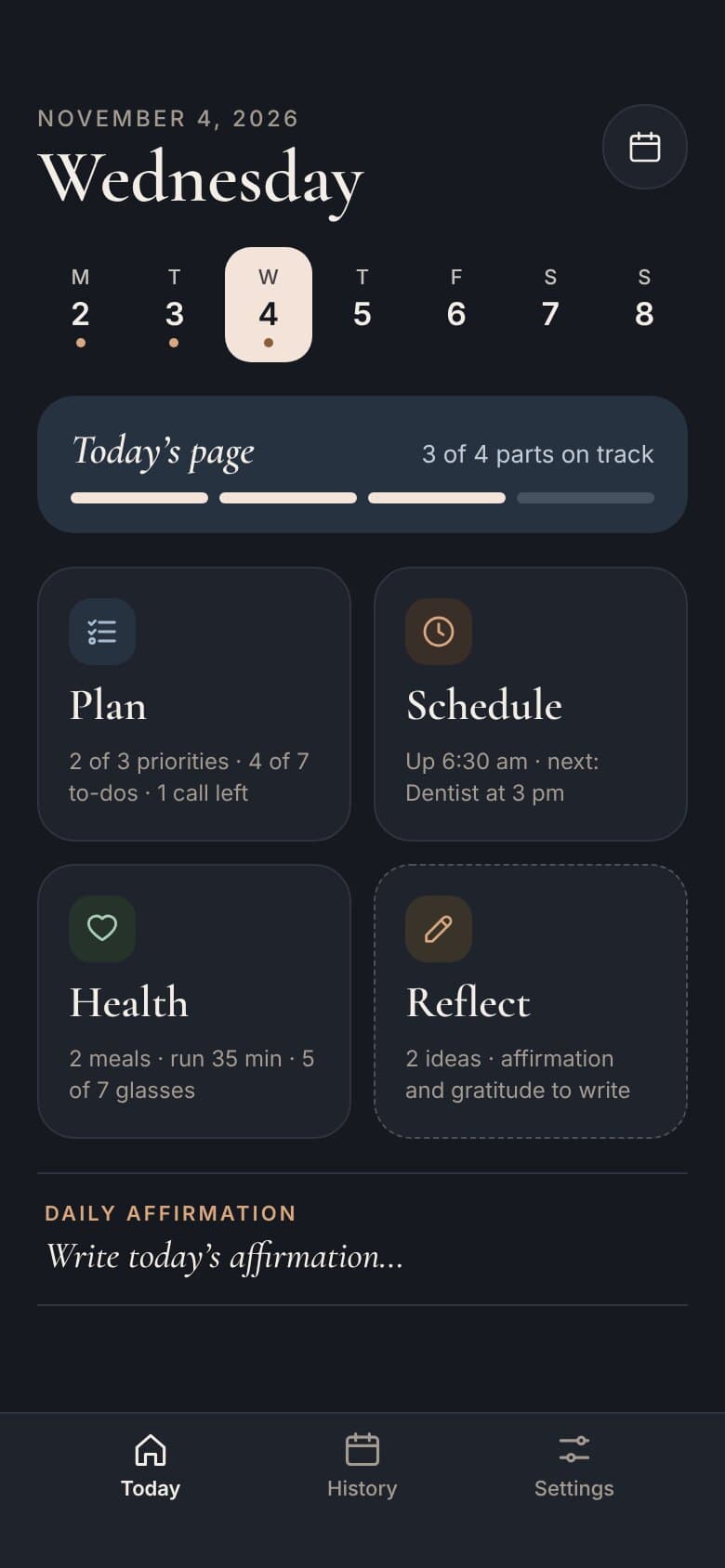
Journal: Self Improvement is a daily planner app for iPhone and Android. Each day is one page in four parts: Plan, Schedule, Health and Reflect. It syncs with your Google, Outlook and iCloud calendars, reminds you at the right moments, and keeps your journal on your phone.
Four parts of every day
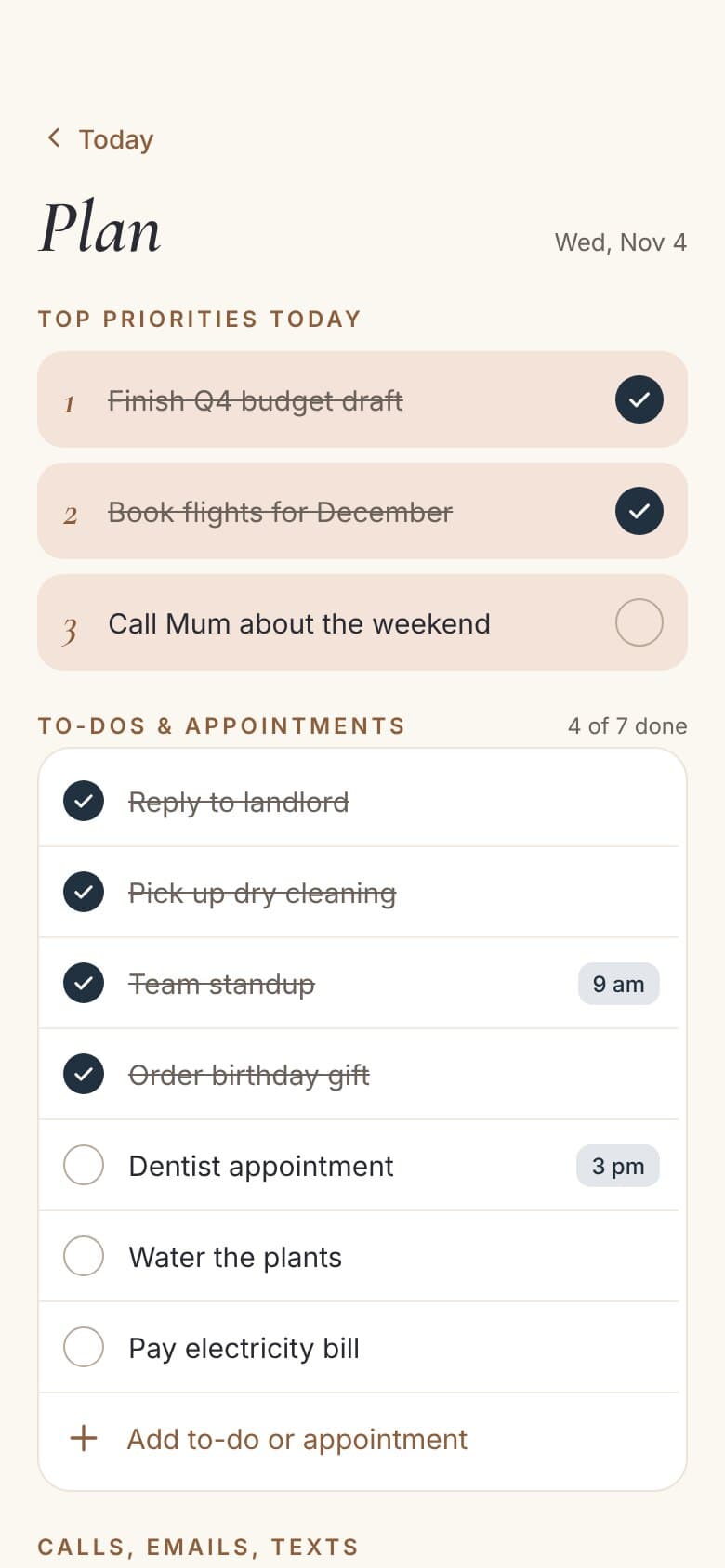
Start with what matters most. Add to-dos and appointments, and keep calls, emails and texts in one list you can tick off. Plan is free to use, forever.
Google, Outlook and iCloud events appear next to the things you add in Journal, from 6 am to 10 pm. Log when you woke up and went to bed.
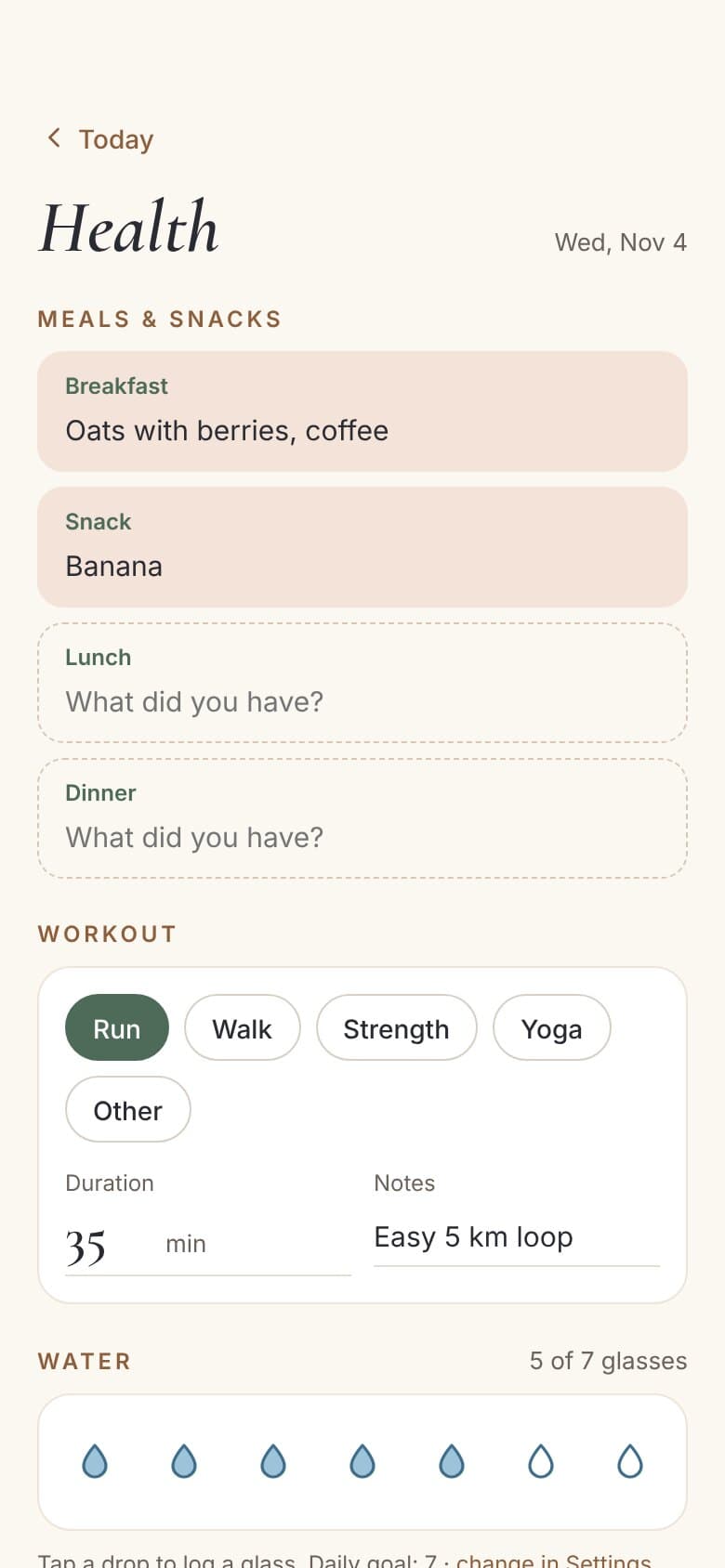
Note what you ate, how you moved and how much you drank. Tap a drop for each glass and set your own daily goal.
Clear your head with notes, capture ideas before they slip away, and write an affirmation and three things you’re grateful for.
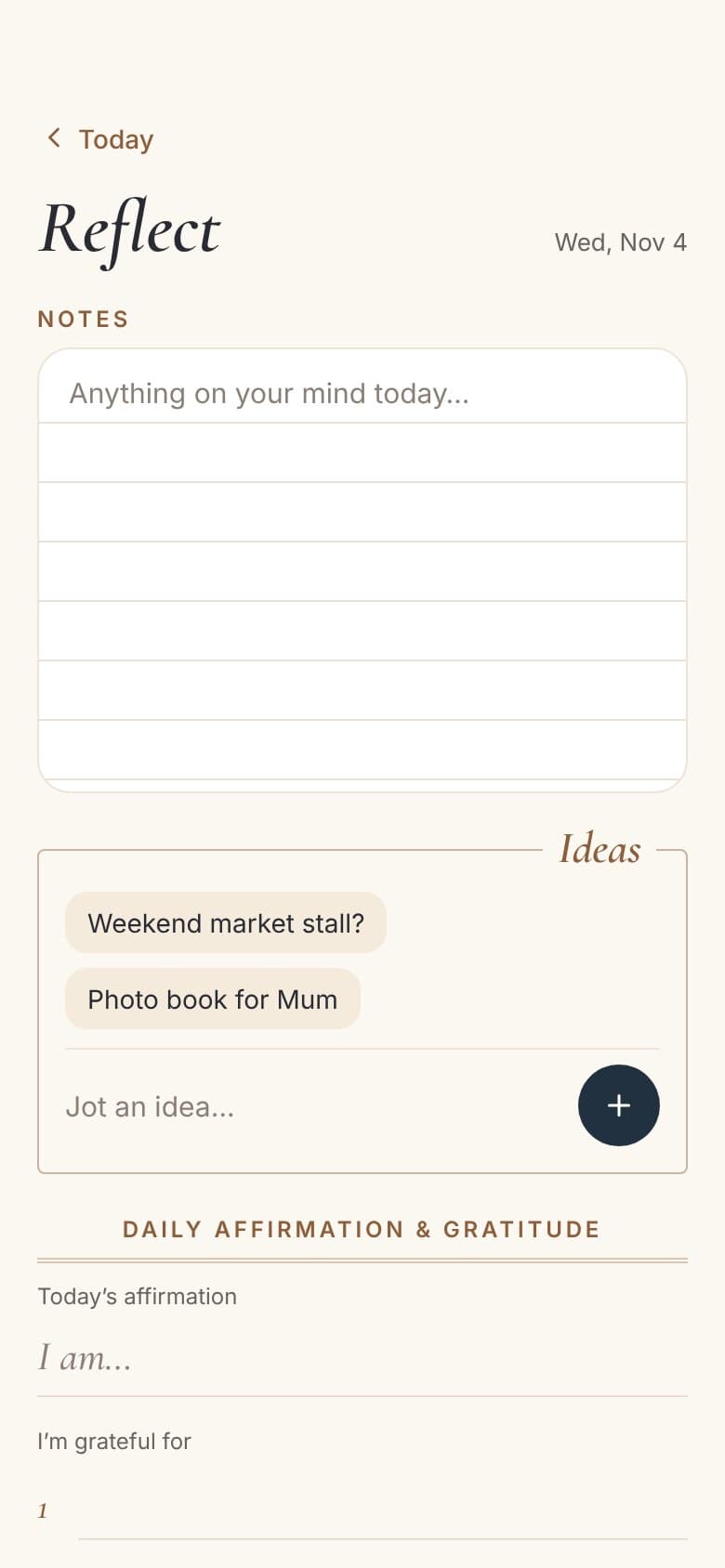
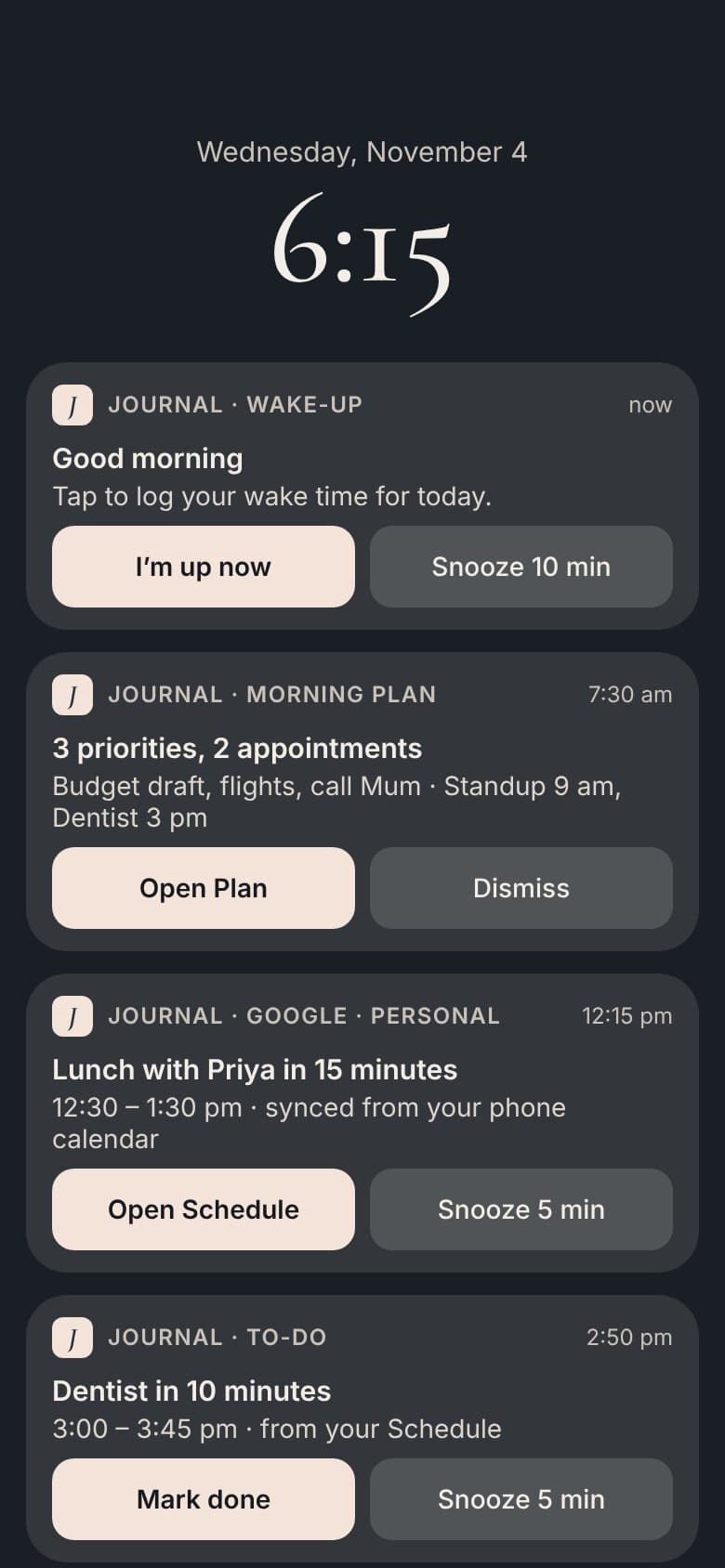
Log your wake time, mark a to-do done or snooze, right from the notification.
Google and Outlook through your phone, iCloud and CalDAV signed in directly.
Your journal is stored on your phone. Calendar passwords stay in secure storage.
Easy on the eyes at night, or follow your phone’s setting.
History shows which parts you logged each day, plus your last 7 days.
Export your whole journal whenever you like.
How it works
A gentle reminder asks for your wake time. Pick your top 3 priorities and see today’s appointments from every calendar in one timeline.
Mark to-dos done straight from a notification, log meals and workouts, and tap a drop for each glass of water.
Wind down with a bedtime reminder, write an affirmation and three things you’re grateful for, and watch your month fill in.
Pricing
The Plan page is free forever. Schedule, Health, Reflect and History are yours to try for 7 days, then part of the subscription.
Why three is the right number, how to choose them in under five minutes, and what to do when the day goes sideways.
How to make evening reflection a habit, with prompts for days when nothing comes to mind.
Step by step — create an app-specific password and connect iCloud in Journal, so your Apple calendars show up on Android.
Journal is $4.99 a month or $49.99 a year. The Plan page is free to use. Both subscriptions include every feature, and you can cancel anytime from your App Store or Google Play subscriptions.
Yes. Your entries are stored on your phone, not on our servers. If you connect iCloud or another CalDAV calendar, the password is kept in your phone’s secure storage.
Google and Outlook calendars you have added to your phone, plus iCloud and other CalDAV calendars you sign in to inside Journal. Sync works both ways.
Yes. Journal is available for iPhone and Android, and iCloud calendars work on both.
Yes. Your days are stored on your phone and reminders are scheduled on the phone, so everything works without a connection. Calendars sync when you’re back online.
Yes. Settings lets you export your whole journal at any time.
Plan is free. Everything else is $4.99 a month or $49.99 a year, on iPhone and Android.